
Account and GitHub
Sign in to Munk, install the GitHub App, and link repos as local Codebases without auto-cloning everything.
Munk AI expects a cloud account plus an optional GitHub connection. Auth and App install happen on the website; the desktop consumes the result.
Sign in
- Open Sign in on munk.sh
- Continue with GitHub
- Complete OAuth and return to the site (or hand off back to the desktop when launched from the app)
Your session unlocks cloud features used by the desktop: instance registration, connectors, and GitHub token broker flows.
Install the GitHub App
Two equivalent entry points — pick either:
- Website: after the desktop app is signed in, open Bound instances and click Connect GitHub App on the machine card
- Desktop Home: click GitHub App, then clone or link from your authorized repos
Follow the install flow and bind the installation to the current instance.
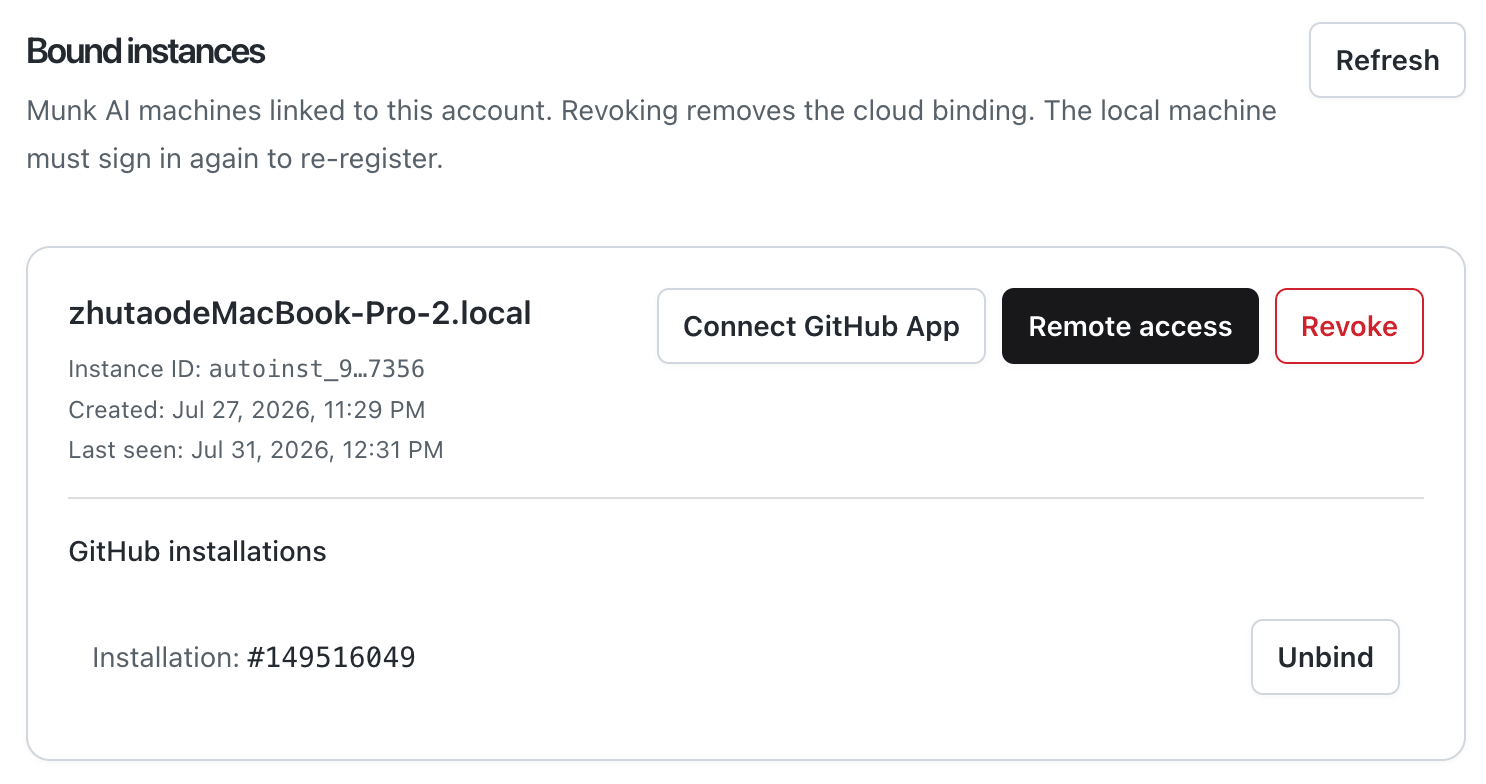
Installing the GitHub App authorizes repositories for Munk. That authorization is wide; what you put on disk stays narrow.
After App install:
- The desktop can list authorized repositories
- Webhooks can reach your connected instance
- You still choose which repos become local Codebases
Add a Codebase (clone or link)
Munk AI does not clone every authorized repo after App install.
For each repo you care about:
- Open the desktop Codebase / home surface
- Pick a repo from the installed App list
- Either Clone (HTTPS with a short-lived installation token) or Link local (existing directory +
owner/repo) - Wait until the Codebase is ready
Only then can Issue-driven intake (for example /munk start) reliably match owner/repo to a local Codebase.
Inbox expectations
- New Issues do not automatically create work items
- Inbox may notify you about Issues on Codebases you already have locally
- Missing-Codebase attentions deep-link into create / link flows
Credentials stay out of agents
GitHub tokens and git write paths go through the Host — not into coding-agent shells. Prefer the in-app GitHub / git actions over pasting tokens into agent terminals.